Website + QR menu + dashboard from SAR 1,000One-time project. Additional features priced separately.
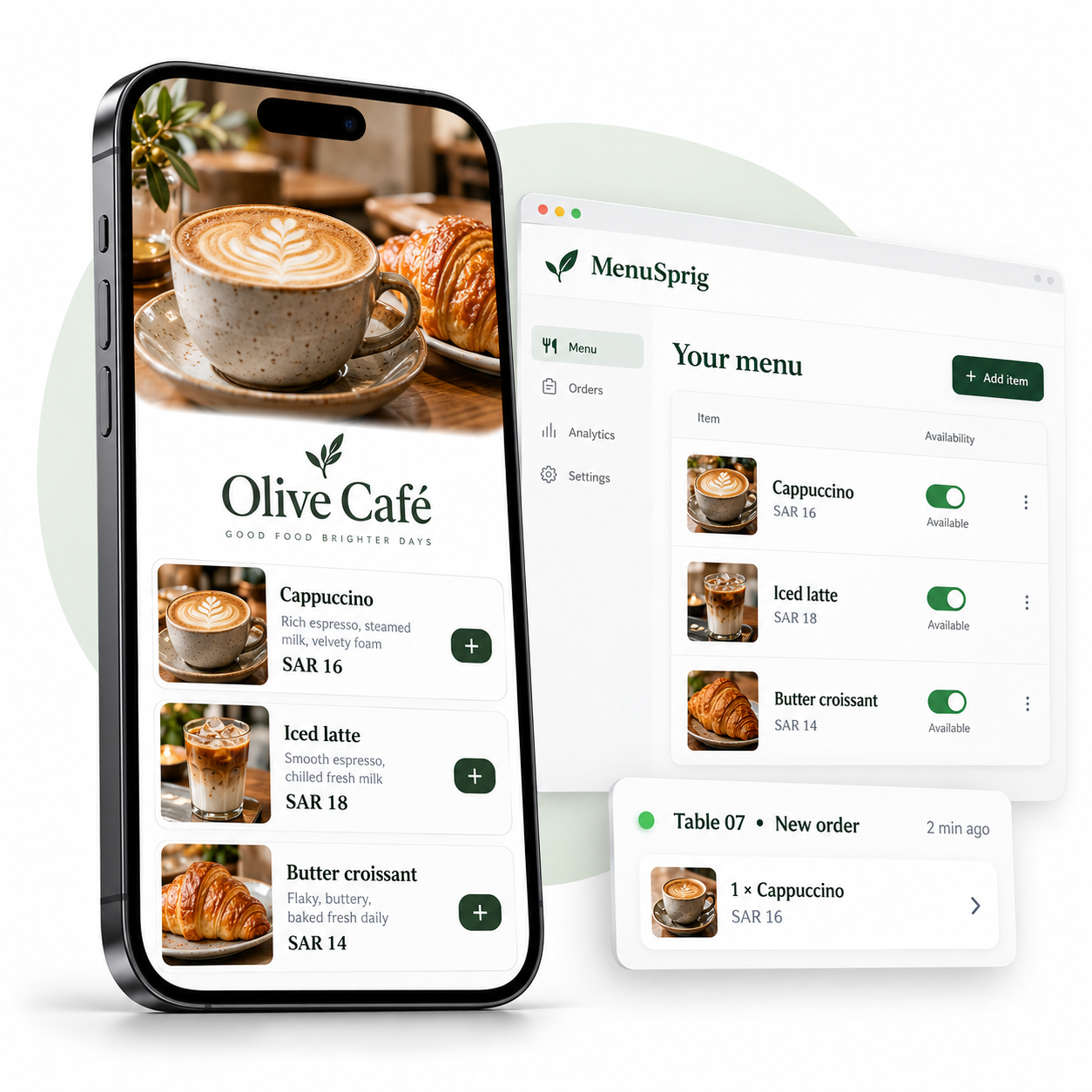
Illustrative preview · Try the interactive demo below
01 Your restaurant, your identity02 Update your own menu03 One-time project & handover
A LITTLE LESS ADMIN
A better menu. A smoother service.
Start with the essentials. Add the tools that fit the way your restaurant works.
≡
INCLUDED IN THE BASE PROJECT
Keep your menu current.
Edit dishes, photos, prices and offers. Mark something sold out in a tap. Arabic and English menu support, with content you approve.
Butter croissantAvailable
↗
OPTIONAL ADD-ON
Every order, in its place.
Table QR codes identify where requests come from. A staff screen helps your team accept orders and track preparation.
TABLE 07Received → Preparing
▦
OPTIONAL ADD-ON
Make room for your guests.
Review reservation requests and confirm them with guests. Add capacity-based booking or website order reports when needed.
Friday · 7:30 PM4 GUESTS
DON’T JUST PICTURE IT
Give it a little try.
Change a price. Switch an item off. Place a sample order. See both sides of a restaurant menu.
Interactive sample · Fictional café · No real orders or payments
THE CUSTOMER’S VIEW
Olive Café مقهى أوليف
TABLE 07
Your sample order 0 itemsSAR 0
Pay at the restaurant. This demo does not take payment.
THE OWNER’S VIEW
Your dashboard
Demo controls
Try changing a price or availability. The menu updates instantly.
Incoming orders
0
Your sample order will appear here. Pick a dish on the left to get started.
This is an interactive illustration in your browser, not a live restaurant system. Changes reset when you reload. A client project needs its own secure setup and testing.
CLEAR FROM THE START
Your setup. Your choice.
One-time development prices. Choose what you need; we confirm the exact scope before work starts.
THE ESSENTIALS
SAR 1,000
Restaurant website + QR menu + owner dashboard
Training & handover included
Included: one branch, up to 50 menu items entered initially, menu editing, availability, percentage offers, Arabic/English support, digital QR files and two revision rounds.
Make it yours
An itemised order summary is included with table ordering. Guests settle payment directly with the restaurant, which issues its official invoice.
FROM IDEA TO HANDOVER
Made for you. Ready to make your own.
01
Tell us your story.
Share your restaurant’s branding, menu and the features you need. We agree the scope and price.
02
See it take shape.
Review your website, supply approved menu information and use your included revision rounds.
03
Take the controls.
Test the agreed features together, learn your dashboard and receive your files and account access.
You stay in control.
Client-owned accounts. A practical walkthrough. Clear handover files. Routine menu updates are yours to make; ongoing technical maintenance is not included unless separately agreed.
A restaurant website, QR menu and owner dashboard for one branch, with up to 50 menu items entered initially and two revision rounds. Training, digital QR files and handover are included. Ordering, reservations and reports cost extra.
Can I change my menu myself?
Yes. Your dashboard is designed to let you update dishes, photos, prices, percentage offers and availability. Adding a new technical feature or changing the website structure may require a developer.
Does it support Arabic and English?
Yes. The restaurant menu can support Arabic and English. You supply or approve the wording, translations, prices, allergen and nutrition information before launch.
Can guests order and pay online?
With the table-ordering add-on, guests can send orders from their table. Online payment is not included. They pay through your restaurant’s existing process. Your cashier system issues the official invoice.
Do you print the QR codes?
We supply digital QR files. You arrange the printing of stickers, cards or table stands.
Is there a monthly subscription?
There is no ongoing subscription to MenuSprig. Your domain and hosting accounts may have renewal or usage costs, paid directly to the providers. Free hosting is subject to provider limits and is not guaranteed forever.
What happens after handover?
You receive the agreed website files, client account access and a dashboard walkthrough. You manage your menu. Ongoing maintenance, future integrations and additional development are not included unless agreed separately. Any defect-correction period is stated in the project agreement.
Is this demo a real restaurant?
No. Olive Café here is fictional. The sample runs only in your browser, does not submit real orders and does not store your edits after reload. It demonstrates the workflow, not a finished client installation.
How long will my project take?
We confirm a delivery schedule after reviewing your features and receiving the required content. Custom ordering rules or integrations can take longer than a menu-only website.
LET’S MAKE SOMETHING GOOD
Your next menu starts with a hello.
Tell us about your café or restaurant. We’ll help you choose the right setup.